
Guide
How to Buy on Accstan: Balance, Orders, and Support
Accstan purchases use your store balance. Review the listing and applicable Terms before adding funds or purchasing. This guide explains the current storefront workflow.
1. Create an account or sign in
Use Sign Up to register, or Login to access an existing account. Read the Terms and keep your Accstan sign-in information private.
2. Add store balance
Open your account's balance or deposit page and follow the payment instructions shown there. Check the selected currency, network, destination, and any stated payment requirements before sending funds. Wait for the deposit to appear in your balance.
3. Compare listings
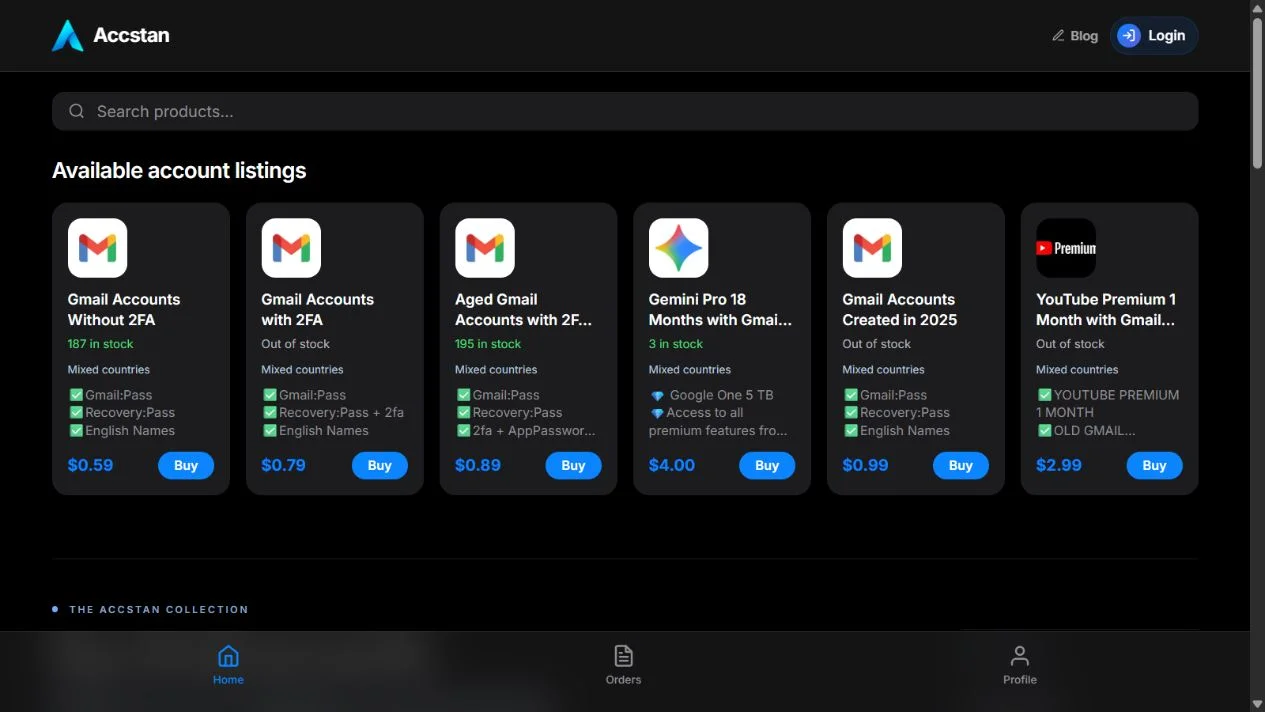
Browse the store or open an individual product page. Check the current price, stock, supplied credential format, and features. You can search by product name or description. Out-of-stock listings remain available for information but cannot be purchased.
4. Choose a quantity
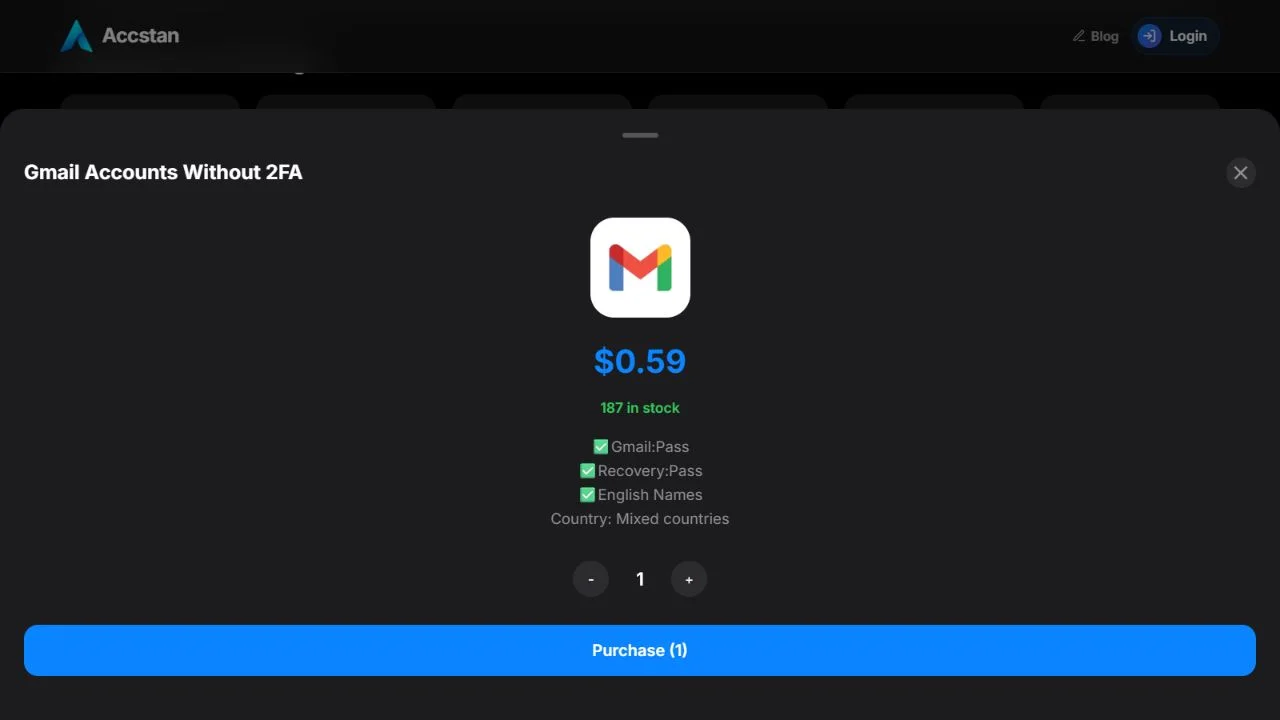
Select Buy in the store to open the product details. Use the quantity controls and check the total. Your quantity cannot exceed the available stock. You must sign in and have enough balance to continue.
5. Review and confirm
The confirmation shows the product, quantity, and total cost. Confirm only when those details are correct. If the purchase fails, read the message and check your stock selection or balance before retrying.
6. Find the delivered information
After a successful purchase, open Orders to access the supplied credentials. Keep the order reference for support, and do not share delivered credentials publicly.
7. Report a listing or delivery problem
Replacement or refund eligibility depends on the listing and our Terms of Service. Report invalid credentials or a listing mismatch through your Orders page or support. Read the conditions before changing or using an account.
Read the refund method and eligibility rules before purchasing. Contact Telegram support if you need help with a deposit or order.
Storefront example: compare before choosing
The screenshot below shows the public store, without a signed-in account. The country line identifies mixed-country listings. Open the product name to read its age and access details; use Buy to select a quantity.
Quantity and total: a worked example
If a listing costs $0.59 per item, two items cost $1.18. At a balance of $1.00, the order needs another $0.18 in store balance. This is an arithmetic example, not a payment quote; always use the total shown for your live selection.
If the next step does not work
| What you see | What to check |
|---|---|
| Out of stock | Choose another listing or ask support about availability. |
| Sign-in prompt | Log in to your Accstan account, then return to the store. |
| Insufficient balance | Compare your balance with the quantity total and follow the deposit instructions. |
| Missing or invalid delivery | Keep the order reference and contact support with the error before changing credentials. |
Links from a product page open the quantity panel once. The product query is then removed from the address, so refreshing does not reopen the panel.